Why IPTV Username and Password Not Working Happens
IPTV username and password not working usually means the app cannot validate the login details. That does not always mean the account is wrong. The issue can happen when one field is incomplete, the server URL is incorrect, or the app does not support the login method.
Most IPTV login screens need details to match perfectly. If the username is right but the password has an extra space, login can fail. If the password is right but the server URL is wrong, the app may still show an error.
For a full setup overview, the IPTV activation guide explains how login details, activation methods, apps, and devices work together.
Simple rule: when IPTV username and password not working appears, check every login field before deleting the app or changing device.
Check 1: Review the Username Exactly
The first check is the username. When IPTV username and password not working appears, many users only retype the password, but the username can also be the problem.
Make sure the username is copied exactly as received. Do not remove numbers, change letters, or add spaces. Some usernames include a mix of letters and numbers, and one small change can block login.
If the username was sent by message, copy only the username field. Do not copy labels, punctuation, or text around it.
Check 2: Retype the Password Carefully
The password is the second major reason for IPTV username and password not working. Passwords can include numbers, letters, and symbols. Some characters look similar, especially on small screens.
If copy-paste does not work, try typing the password manually. Watch for similar characters like zero and the letter O, or lowercase L and uppercase I. Also check that the app did not add a blank space after the password.
For more detail about each login field, the IPTV login details guide explains username, password, and server URL step by step.
Check 3: Confirm the Server URL
Many users think only the username and password matter, but the server URL is just as important. When the server URL is wrong, the result may look like IPTV username and password not working.
The server URL should be entered exactly as received. Do not remove the beginning of the URL, change symbols, or type only part of the address. The app needs the full server address to connect correctly.
For general context, Wikipedia explains authentication as a process used to verify identity before access is allowed.
Wrong usernameThe app cannot find the account.
Wrong passwordThe app rejects account access.
Wrong server URLThe app cannot reach the correct connection address.
Wrong appThe app may not support username and password login.
Check 4: Make Sure the App Supports This Login Method
Another reason for IPTV username and password not working is app compatibility. Some IPTV apps support username, password, and server URL. Other apps only support M3U links or activation codes.
If the app does not show fields for username, password, and server URL, it may not be the correct app for your details. Entering the right details into the wrong app will not complete activation.
If your setup uses account-style login, the IPTV subscription with Xtream Codes guide explains how username, password, and server URL usually work together.
Check 5: Look for Copy-Paste Spaces
Copy-paste errors are one of the easiest mistakes to miss. If IPTV username and password not working appears after pasting the details, check for hidden spaces before or after each field.
Some apps accept pasted text with an extra blank space. Others reject it. If you copied the details from email or chat, the copied text may include more than the actual login value.
A clean way to test is to delete the full field and type the details again manually. This can remove hidden characters that are hard to see.
Delete old entriesClear username, password, and server URL before trying again.
Type one field at a timeDo not paste all details into one box or wrong field.
Restart the appClose and reopen the app after saving corrected details.
Check 6: Confirm Account Status
Sometimes IPTV username and password not working happens because the account is not active, expired, or not renewed yet. Even correct details will fail if the account status is not ready.
Check whether the subscription is new, renewed, or expired. If the account was just created, wait for confirmation before trying multiple apps. Too many repeated attempts can make troubleshooting harder.
If you purchased from an IPTV subscription service, contact support with your order details if the login still fails after checking the fields.
Check 7: Check Device Change or Connection Rules
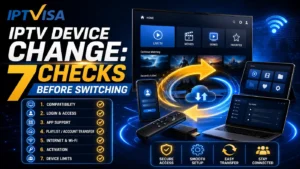
Device rules can also cause IPTV username and password not working. Some setups may be linked to a device, app, or active connection. If you recently moved from one device to another, support may need to confirm or reset the setup.
Also check your internet connection. A weak or unstable connection can make the app show a login or connection error even when the details are correct.
Before switching to another device, confirm whether your account allows that change. This avoids confusion and repeated login failures.
Quick Support Checklist
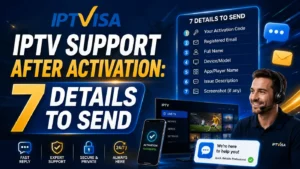
If IPTV username and password not working still appears, send support clear information instead of only saying “login failed.”
- Device type, such as Smart TV, Firestick, Android TV, or phone.
- Exact app name used for login.
- Screenshot of the error message.
- Whether the account is new, renewed, or expired.
- Whether you changed device recently.
- Whether the app asks for username/password or another setup method.
Final Login Checklist
Before ending this IPTV username and password not working guide, use this short checklist.
- Retype the username exactly as received.
- Retype the password without extra spaces.
- Use the full server URL.
- Check that the app supports account-style login.
- Restart the app after saving details.
- Confirm the subscription is active.
- Check internet connection.
- Ask support before changing device.
FAQ About IPTV Username and Password Not Working
Why are my IPTV username and password not working?
IPTV username and password not working can happen because of wrong typing, copy-paste spaces, wrong server URL, incompatible app, expired account, or device change.
Can the server URL cause login failure?
Yes. If the server URL is incomplete or entered into the wrong field, the app may reject the login even if the username and password are correct.
Should I reinstall the app if login fails?
Not immediately. First check the username, password, server URL, app compatibility, account status, and internet connection.
Can device change make IPTV login fail?
Yes. Some setups may be linked to a device or active connection. Contact support before moving the same details to another device.
What should I send support?
Send device type, app name, screenshot, account status, login method, and whether you recently changed device.
Final Thoughts
IPTV username and password not working is usually caused by a small setup issue, not always a broken account. The most important checks are username accuracy, password format, server URL, app compatibility, account status, and device rules.
Before deleting the app or changing device, review each field carefully, restart the app, confirm the subscription is active, and contact support with clear details if the issue continues.
This guide should help users understand the error faster and fix simple login problems without confusion.